What we built
A shared assistant workflow for the website and Telegram. It finds a service, reads current prices and available slots from YCLIENTS, collects booking details and creates the appointment after confirmation. Rescheduling and disputed requests go to a receptionist with the conversation context.
Why website content was not enough
The first assistant answered from website material. Price columns were mixed up during extraction, and the model tried to fill missing details itself. Booking data changes throughout the day, and services vary between locations.
We kept studio policies in the knowledge base and connected tools for prices, services, staff and availability. The model interprets the request; server code validates parameters and the CRM response.
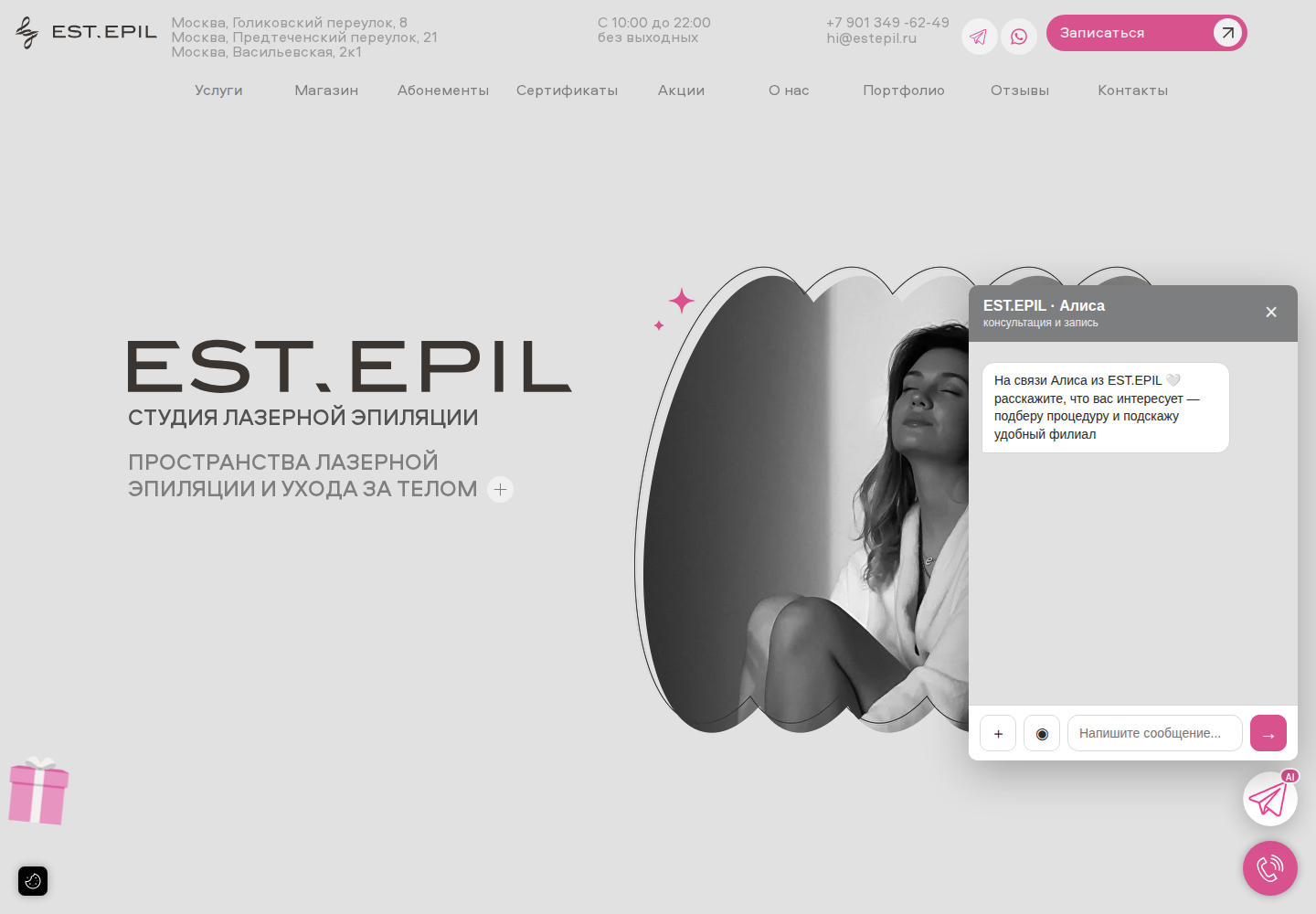
Website widget captured on 25 September 2026. The image shows its greeting, not a customer conversation.
Open full-size image ↗The booking workflow
- 01Map the client's wording to a service and location in YCLIENTS.
- 02Read available dates and times, clarify the staff member and collect required details.
- 03Show the proposed appointment and wait for the client's explicit confirmation.
- 04Check the slot again before creating the booking. Confirm success using the record ID returned by YCLIENTS.
- 05Hand off rescheduling, occupied slots and ambiguous API responses to a receptionist.
When a booking is actually confirmed
Service, location and date
Clarify the missing details of the request.
Available slots from YCLIENTS
Read availability and get the customer's selection.
Create the booking
Use the required permissions; do not blindly retry a write after a timeout.
Verify the API result
Store the booking ID. Hand errors or missing access to reception.
Failures we worked through
A date parser treated the beginning of the Russian word for massage as a month abbreviation. Tools now receive a normalized date with a separate calendar check. Code calculates the weekday.
Repeated discounts and contact requests were limited by context. Empty model replies, service-name mismatches and unavailable slots became additional cases to check against real conversations.
What the receptionist receives
A handoff includes the contact, reason and relevant conversation context. Tool events and history show the step where the booking stopped. Returning clients retain the operational context of previous conversations.
Requests requiring a specialist remain with a person. The number of CRM calls alone does not measure completed customer visits.
The operational result
Consultation, availability checks and booking creation follow one route. Exceptions reach a receptionist with the details already collected, and the route can be checked through CRM failures and unfinished appointments.
The project established concrete requirements for an AI receptionist: current prices, slot revalidation, confirmation before an action and a usable human handoff.