An AI proposal workflow starts by extracting items, quantities and required characteristics from the customer's file. It searches approved catalogs and price lists, preserves each source and shows product differences before generating an Excel or PDF. The manager approves the matches and prices before sending the document.
In REGION SNAB, we built a workspace for this route. The implementation uses internal catalogs and supplier prices first. External search is an optional fallback with limits, not the default source of a confirmed purchasing price.
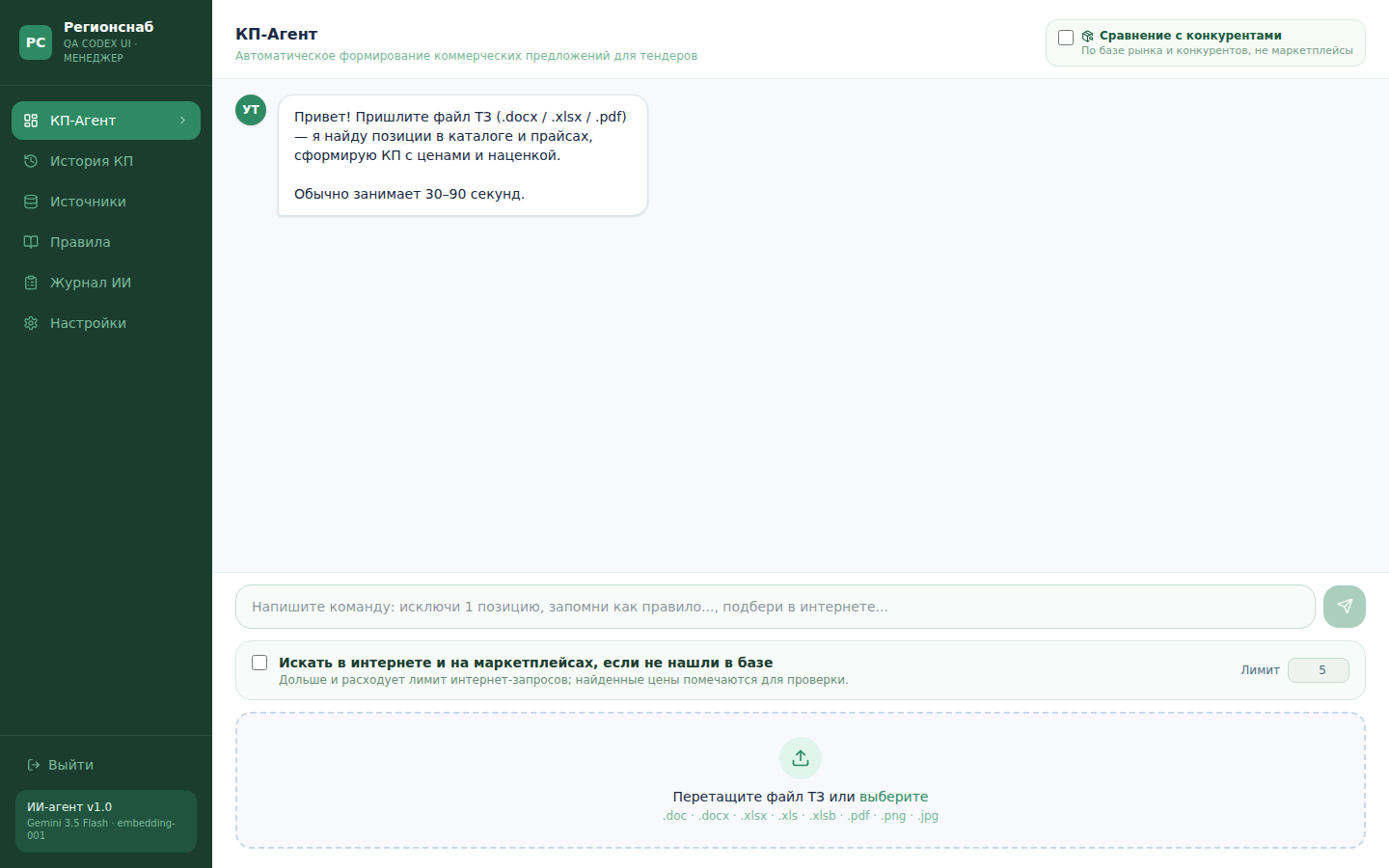
Actual REGION SNAB workspace, in Russian. Managers review the matching result before exporting a proposal.
Open full-size image ↗Check what the file contains
A PDF can contain text, scanned tables or only a cover letter referring to a missing attachment. Extracted text must retain its connection to the original page, sheet or row. Before product search, verify that there is an item list to search for.
One failure found during development was a letter without its specification. The right outcome is to report the missing input. Generating plausible procurement rows would conceal the problem.
Specification → sources → calculation → draft quote
Extract requirements
Read items, quantities and specifications from the input file.
Find and verify products
Start with internal sources. External search is a separate, price-checked branch.
Calculate in code
Cost, markup and totals do not rely on model arithmetic.
Build Excel and PDF files
A manager checks alternatives, sources and commercial terms before sending.
Keep a source for each candidate
The workspace distinguishes an exact match, a possible alternative and no supported result. Similar wording or a close embedding is insufficient for an exact match. Required characteristics and the product type still need checking.
The implementation also separates supplier and competitor sources. A competitor's public retail price is not evidence of a supplier's cost or available stock. Prices tied to a marketplace wallet or card need separate confirmation before use in a business proposal.
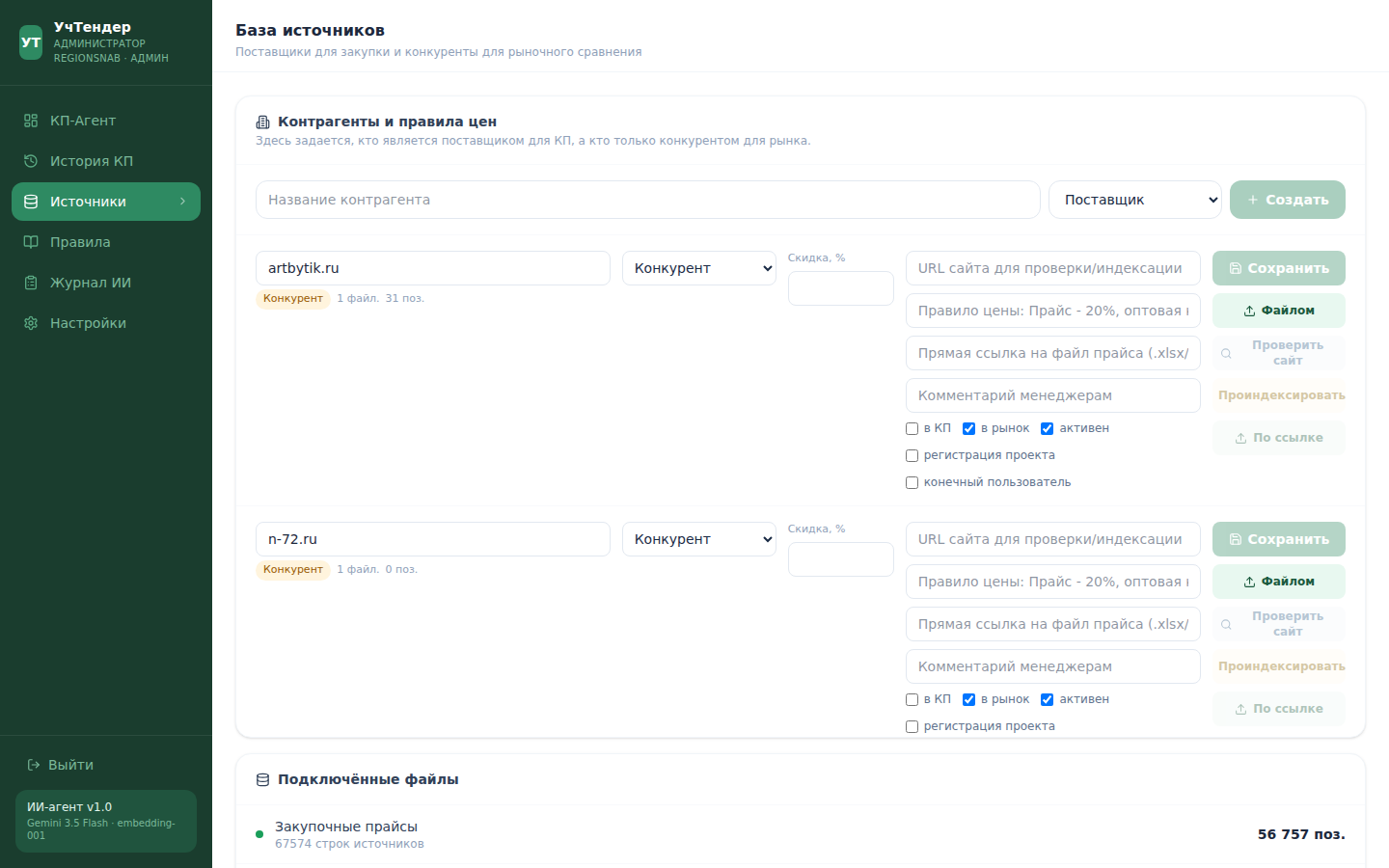
Actual source-management screen, in Russian. Source roles and price rules are visible to the operator.
Open full-size image ↗Put dimensions and arithmetic in code
Use the language model to interpret a request and compare candidates. Validate model numbers, dimensions, quantities and units separately. Apply only agreed pricing rules in code. An invalid or missing price must stay visible instead of becoming zero or a plausible model-generated number.
The related LISVENT implementation matches requests to a local export of a 1C catalog. It does not write directly into the customer's ERP. That distinction matters when estimating an integration: a reviewable file exchange and a two-way API connection are different deliverables.
Review the finished output
Keep the requested item, selected candidate, source reference, differences and review status together. Before sending the proposal, the manager checks uncertain rows, ordinary prices, quantities, units and the rendered PDF. Approval of one document should not silently turn every selected product pair into a permanent matching rule.
Bring a specification and a price list with customer details removed to discuss a pilot. See the REGION SNAB case, request and proposal automation and the pilot acceptance guide.
The implementations behind the guide
REGION SNAB: proposal agent
A workspace for tender extraction, product matching, internal and web search, specification checks, calculations and Excel/PDF proposal drafts.
LISVENT: requests and 1C
File exchange, semantic retrieval, model-number checks and manager review connect free-form customer requests to 1C product records.